Freshly Sleeved #26 - Refund a card, keep the order

One card missing from a ten-card order used to mean cancelling the whole thing. Not anymore: sellers can now refund part of an order on the spot and ship the rest. Every game in the catalog also gets new pages to browse sets, sealed products and every version of a card, and tables on the website finally fit your phone, starting with seller shops. Plus a smarter scanner in the app and a good batch of fixes.
🎯 Highlights
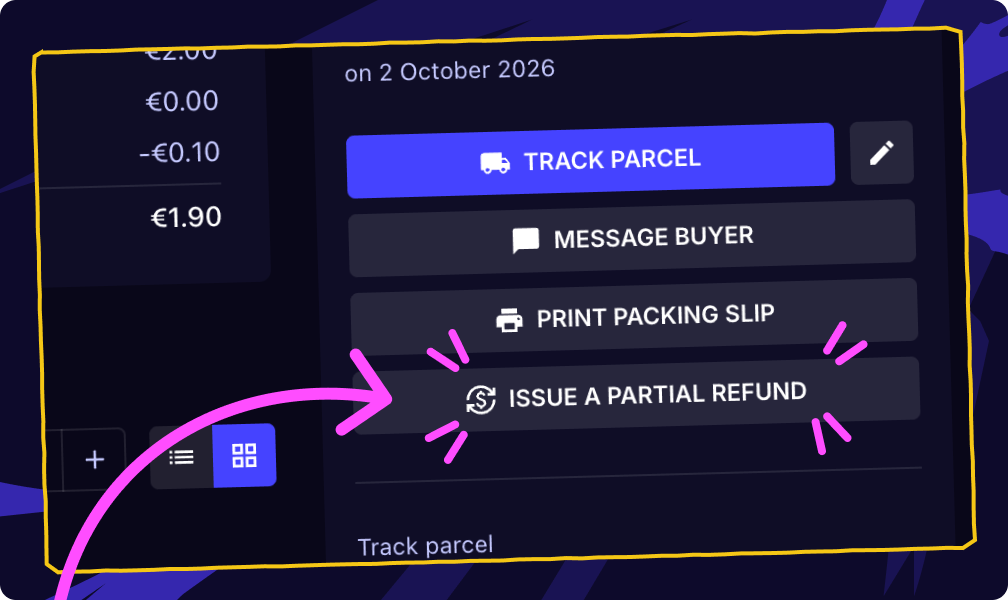
Instant partial refunds (web & app)
Sold a card you can't find, or one that turned out to be in worse shape than listed? Open the sale, choose the amount to give back, and the buyer is refunded right away. It works from the moment the order is paid until it's delivered, and you can do it more than once on the same order. The amount comes off your payout, the buyer also gets back the matching share of their service fee, and they're told by email, notification and in the order chat. A full refund still goes through a cancellation.
Now you can: refund the one missing card, ship the other nine, and keep both the sale and a happy buyer.
New ways to browse every game (web)
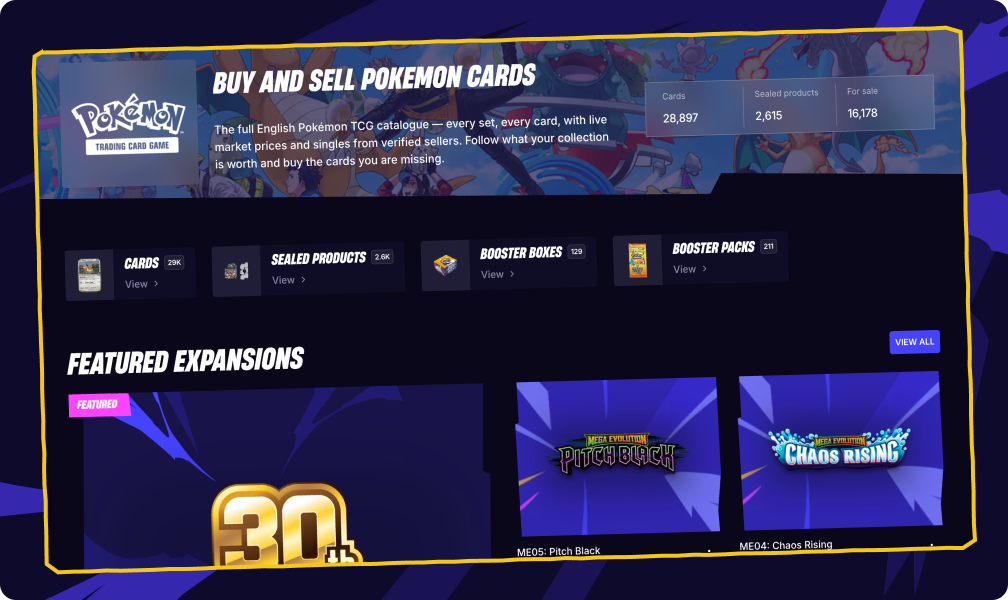
Each game's home in the catalog has been rebuilt, with new pages around it:
A new game page with a banner, today's biggest price movers, featured sets and answers to common questions.
All expansions on one page: sort them by release date or alphabetically, search by name, switch between a table and a grid.
Pages by product type: singles, boosters, booster boxes and sealed products for a game, each on its own page.
All versions of a card: every printing of a card side by side, across sets.
Previous / next arrows on a product page to move through a set card by card.
Now you can: look up every printing of Lightning Bolt in one place, or scan all the booster boxes available for One Piece without opening set after set.
Tables that fit your phone (web, on mobile)
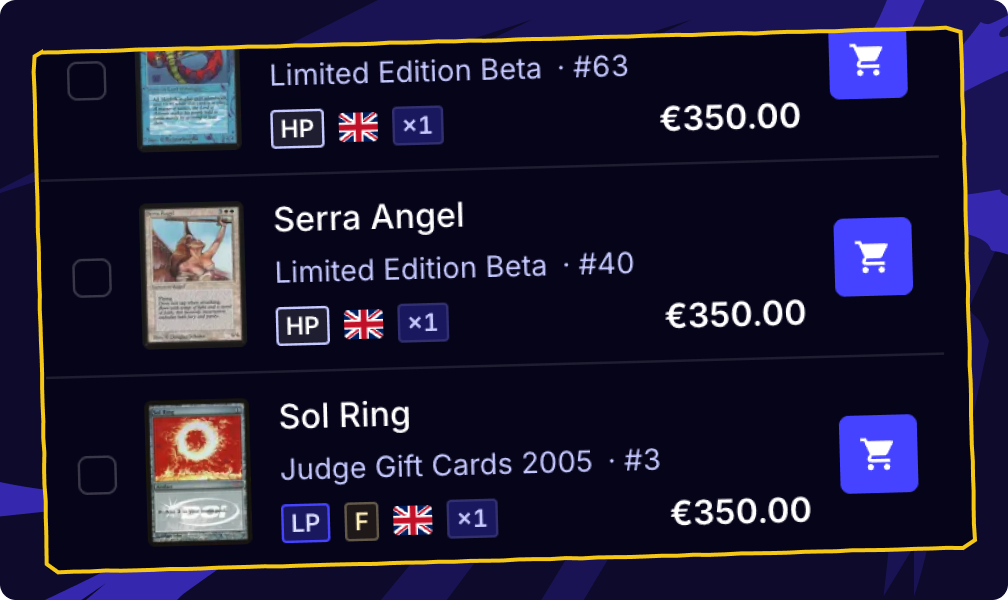
Browsing a seller's shop on your phone's browser used to mean scrolling sideways, with the price and the cart button pushing the card itself off the screen. Tables now turn into compact stacked rows on small screens: the card, its details and its price sit on top of each other, with the buttons under your thumb. It applies to seller shops, your inventory, your lists, your orders, bulk import and the catalog tables.
Now you can: go through a seller's whole catalog on your phone and add cards to your cart without ever scrolling sideways.
📱 Mobile app
A new app update is rolling out.
Choose where a scan goes — after scanning, pick between Inventory, Sell on CardNexus or Add to a list.
Booster value tracker — start a session when you open a pack, scan the cards, and watch what the pack is worth against the target you set.
Flesh and Blood pitch colours — if the scanner picked the wrong colour, switch to the right printing in one tap; the price follows.
"In your lists" on a card — a card's preview shows which of your lists contain it, with quantities, and opens the list in one tap.
Referral rewards and contest history — see the friends you invited, your rewards and past contests.
More reliable — the scanner offers a card database update when it recognises a card it can't match, unread offer counts stay stable, and prices with decimals, notes on Android and the return from seller verification behave.
And, as usual, a ton of other little adjustments…
If you don't see the update yet, it's on its way — store rollouts happen gradually over a few days.
🃏 Catalog update
Game by game, set by set — here's what landed in the catalog since the last edition:
Star Wars: Unlimited
Homeworlds — listed ahead of its 9 October release, with all 750 cards.
Galactic Championship 2026 (94 cards), Sector and Regional Promos: Season 2 (54 cards) and the 2026 Convention Exclusive cards join the catalog.
Magic: The Gathering
Reality Fracture and Reality Fracture Commander (released 2 October) — now complete, with 479 and 120 cards.
The Zeta Set — all 363 cards are in.
Foundations Commander — 333 cards added, the set is now complete.
Flesh and Blood
Usurp the Shadow Throne (released 25 September) — 158 more cards, 280 in total.
One Piece Card Game
Set Sail Deck Set (released 18 September) — all 26 cards.
Extra Booster: One Piece Heroine's Edition Vol. 2 (30 October) and The Dominance of God (20 November) — more cards revealed ahead of release.
75 new promotion cards.
Riftbound: League of Legends TCG
Radiance — 75 cards listed ahead of its 23 October release, plus the new Radiance Promos set.
✨ Improvements & fixes
Searching & browsing
Change printing, redesigned — the dialog shows every printing as an image, your current one first then newest to oldest, with set and release month. On a list, each card's menu now has change printing, finish, minimum condition and language one click away. (web)
Magic: Colour Identity the Commander way — picking colours now returns every card your commander could play, colourless included, and Colourless is its own choice in the colour filters.
Binder polish — the binder uses the full height of your screen with its controls on the side, foils shimmer in their pockets, the arrow keys turn pages anywhere, and the search bar stays on the binder's game. (web)
Reports that say which card — reporting a wrong or missing card from a product page now sends us the card's details automatically. (web)
Selling & orders
Packing slips you can pick from — each line prints your storage location, SKU and listing comment under the item.
Clearer limits — a list that reaches 2,000 products now says so instead of failing, and seller warning banners talk about your "seller account" so nobody thinks their whole account is at risk.
Apps & developers
Settings → Integrations is open to everyone, with an apps directory to find tools that connect to your CardNexus account. (web)
Public API — partial refunds, and a way for partner apps to send tracking scans. Partner sites can also send a full decklist to the Cart Wizard with a single link.
Added many smaller fixes, UI improvements, and performance optimizations across the platform and mobile app.
Thanks for collecting with us! 💙 Sellers, try a partial refund the next time a card goes missing — and tell us what you'd love to see next in the feedback portal.
Curious about what's next on our quest journal? Check out our Public Roadmap! You can see what we're working on, what's coming up, and even suggest features you want to see.